


BROWSE CASINO ROOMS

Explore Casino and Slots by Category

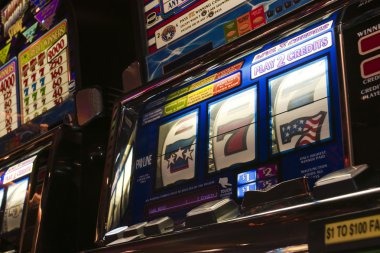
Casino and slots appear in separate Home rows so you can move from a slot search to live baccarat, roulette…

jek33 lobby snapshot
SEE INSIDE OUR LOBBY

Explore the jek33 Lobby

Casino rooms come first, followed by live tables, fishing games and sportsbook markets arranged for quick switching on phone or desktop.

SlotsLive CasinoTable GamesFishingSportsbook
EXPLORE OUR STUDIOS

Browse Studios Available at jek33

Pragmatic Play, PG Soft and Habanero anchor the studio strip, with additional catalogues arranged by category and device compatibility inside the lobby.

Pragmatic Play
PG Soft
Habanero
CQ9
Joker
Spadegaming

Check Local Payment Rails

DANA, OVO, GoPay and QRIS appear in the cashier for supported Indonesia accounts.

DANA

OVO

GoPay

QRIS

Virtual Account

Bank Transfer

OPEN DURABLE AREAS

Explore Pages Worth Returning To

Some Home links solve recurring tasks rather than sending you directly into a game. We keep account access, wallet status, withdrawals, live tables and sportsbook categories visible because these are the areas…

jek33 Phone verification path
ACCOUNT

Phone verification path

See where mobile verification occurs before account access and which contact detail must remain available.

jek33 OVO deposit path
WALLET

OVO deposit path

Check the wallet name, requested amount and displayed transaction state before confirming.

jek33 GoPay withdrawal path
WITHDRAWAL

GoPay withdrawal path

Follow the account-name check and review the wallet destination before submitting.

jek33 Lightning Roulette Room
LIVE

Lightning Roulette Room

Open the live-table area beside baccarat, blackjack and Dragon Tiger.

Open Your Account Path Clearly

Start at our Home page when you want the shortest route from account creation to the lobby.

Create your account

Choose the account option on Home, enter your mobile number and set a private password. Complete the phone verification prompt before trying to open the lobby or cashier.

Confirm the basics

Use accurate personal details that match your chosen wallet or bank account. Matching details help us examine receipts, withdrawal requests and ownership questions without sending you through unrelated pages.

Choose your area

After verification, browse slots, live baccarat, Lightning Roulette Room, Fishing War Quick Arena or football, badminton and basketball markets from the category row shown on Home.

Protect your access

Keep your password private, complete verification only through our account screen and close your session on shared devices. Contact support if an unfamiliar login or account change appears.

GET ACCOUNT HELP

Open Help Beside Your Cashier

Support sits close to the account and cashier paths because login and wallet questions often need a visible reference.

Live chat Use chat for a stalled login, verification prompt or wallet state.
Email Choose email when a receipt or screenshot is needed.
Mobile help Open mobile help from the account menu when a button, category row or QRIS…
OPEN ON MOBILE

Switch from Login to Lobby

One browser-based mobile path carries you from account access to the category row, cashier and support area without requiring a separate app.

Browser Access
Phone Verification
Compact Lobby
QRIS Scan
Wallet Status
Desktop Tables
jek33 mobile gaming

Check How Your Account Stays Secure

Phone verification comes before account access, giving us a clear ownership checkpoint when you first join.

Mobile verification

We confirm the mobile number used during account creation before opening account access. Keep that number available because it may be needed when ownership or profile changes require checking.

Private credentials

Your password belongs only in the account screen. Our support team does not need your full password to examine a login problem, wallet state or transaction reference.

Account records

Cashier requests and displayed wallet states stay connected to your account. Review those records before contacting us so you can identify the correct rail, amount and reference.

Game-level rules

Rules and available settings appear with the relevant slot, table or market. This lets you inspect the active conditions instead of relying on one general statement for every category.

CHECK CLEAR RECORDS

Open Policies and Contact Paths

Clear account records matter before you enter the lobby. Our Home footer links to access terms, privacy wording, transaction conditions and contact details without hiding them behind game…

Readable account terms

Our terms separate account access, transaction handling and game participation into distinct sections.

Visible contact path

Chat and email routes appear in the support area with the details needed for login or wallet cases.

Recorded wallet states

The cashier shows submitted transaction states and keeps the chosen rail attached to each entry.

Accessible policy links

Privacy, account and transaction wording can be reached from Home without opening a game.

Choose One Home Instead of Searching

A single Home path reduces the need to search through old messages, saved screenshots or separate pages when you want a game, wallet record or contact route.

One category row
Home places slots, live casino, fishing and sportsbook choices in one visible row. Searching through old promotional messages can lead to outdated or unrelated category addresses.
One account menu
Your profile, verification state and cashier link share one account menu. Separate saved pages may not show whether your current session or account state has changed.
Named wallet choices
DANA, OVO, GoPay and QRIS are labelled inside the cashier. A screenshot or forwarded message cannot show the current wallet state attached to your own account.
Current game access
The live lobby shows whether Lightning Roulette Room or another category is currently available. Old lists cannot reflect table availability, device behaviour or account eligibility.
Direct support routes
Chat, email and mobile help are connected to Home. Searching outside the account path can make it harder to provide the correct transaction reference or explain the displayed state.
Policy access
Account, privacy and transaction wording remains available in the footer. Printed or saved extracts may not contain the complete section relevant to your current account action.
CHECK GAME DETAILS

Browse Category Transparency Before Entry

Game details differ by studio, category and table. We place available rules, feature descriptions and return information on the relevant game screen rather than applying one figure to the whole lobby.

Auto-refresh hourly
jek33 Slots

Slots

92%

Check the individual title screen for studio rules, feature behaviour and any displayed return figure before…

jek33 Live roulette

Live roulette

97%

Open the table panel to see wheel rules, available positions and entry conditions for the active…

jek33 Live baccarat

Live baccarat

96%

Review table rules and available bet areas before selecting a streamed table.

jek33 Fishing games

Fishing games

95%

Read the control and scoring details shown for Fishing War Quick Arena before entering.

jek33 Sportsbook

Sportsbook

94%

Check the displayed market price, selection status and settlement wording before confirming your entry.

RTP percentages are informational reference values from provider documentation. Actual session outcomes vary.

HOME AT A GLANCE

Browse Four Connected Lobby Areas

4
Main Home paths
6
Studios in the strip
4
Local wallet choices
3
Support routes
CHECK INDONESIA ACCESS

Explore Access Across Supported Regions

Our Home page is configured for Indonesia wallet paths and browser access, including mobile sessions used in Jakarta. DANA, OVO, GoPay and QRIS appear where supported, while bank transfer context may include BCA, BRI, Mandiri and BNI. Game, sportsbook and cashier availability can vary by location, account status and device. Access depends on local law. If a category or transaction rail is unavailable, the account screen shows the current options rather than redirecting you to an unrelated regional page.

Surabaya, Indonesia
SEE HOME HIGHLIGHTS

Explore Six Visible jek33 Elements

Six practical elements define what you can do from our Home page before opening a game.

Casino categories Slots and casino rooms appear before other categories, with live…
Sportsbook categories Football, badminton and basketball are separated by sport so you…
Wallet status The cashier identifies DANA, OVO, GoPay and QRIS by name…
Studio labels Provider names such as Pragmatic Play, PG Soft and Habanero…
Account support Chat, email and mobile help sit near the account path.
Policy footer Privacy, account and transaction terms remain available below the main…

FAQ

These answers cover the Home questions we receive about account creation, Indonesia availability, casino categories, mobile access, local wallets and support. The current account screen remains the source for your own verification and transaction states, while individual game pages carry their active rules. If your screen differs from the paths described below, return to Home, confirm your session and contact us with the visible reference or device details.

The jek33 Home page connects account access, slots, live casino, fishing games, sportsbook categories, the cashier, studio labels, support and policy links. You can inspect these areas before choosing a game or transaction path.

Choose the account option, enter your mobile number, create a private password and complete phone verification. Use accurate details that match your intended wallet or bank account before opening the cashier.

Home leads to slots, live baccarat, roulette, blackjack, Dragon Tiger and fishing rooms, including Lightning Roulette Room and Fishing War Quick Arena. The sportsbook also carries football, badminton and basketball categories.

Yes, the browser layout adapts to smaller screens without requiring a separate app. Game rows become compact, QRIS uses a scan path, and your wallet status remains available through the account menu.

The cashier supports DANA, OVO, GoPay, QRIS, virtual account and bank transfer paths where available. Bank context may include BCA, BRI, Mandiri or BNI, and each submitted entry carries a visible status.

Open the cashier record and note the selected rail, amount, displayed state and transaction reference. Use live chat for an active check or email when you need to attach a receipt or screenshot.

Category, sportsbook and cashier availability can vary by location, account status and device. Access depends on local law. Your Home and account screens show the categories and transaction rails currently available to you.
FOLLOW HOME NAVIGATION

Open the Right jek33 Path

Use the Home navigation in a simple order: confirm account access, select a category, check the game or market details, then open the cashier only when needed.

Start with account access

Create your account with a mobile number and private password, then complete phone verification.

Select one category

Choose slots, live casino, fishing or sportsbook from the Home row.

Check the active details

Read the displayed rules, table conditions or market status before entering.

Return through Home

After a game, transaction or support case, return to Home through the main navigation.